Merrick Bank Card Activation Online: If you just got your Merrick Bank card, the first thing to do is activate it. The good news is that Merrick Bank has an online activation page, and it asks for your new card number, your Social Security Number, and your date of birth. The official activation page also shows a button that says “Activate Your Card,” which is what you press to finish the setup.
- Go to Merrick Bank’s card activation page.
- Enter your card details before anything else happens.
- Fill in your personal details very carefully. The page asks for your new card number, your Social Security Number, and your date of birth.
- Press “Activate Your Card” and follow what comes next on the screen.
Once that is done, your card should be ready to use. Merrick Bank also points cardholders to its Cardholder Center for online account access and account management after setup.
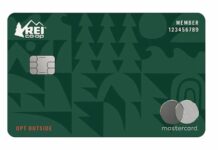
How to Activate Your REI Mastercard Online in a Few Simple Steps
If the card does not activate right away, the problem can come from entering a number wrong or leaving out one field. Go back and check the information again. If you still have trouble, Merrick Bank’s help pages direct customers to support options for activation and other card issues.
How to Handle Payments and Account Use?
After your card is active, you can manage it online through the Cardholder Center. Merrick Bank says cardholders can use this area to handle account details, view account activity, and make payments. The bank also says online bill pay can be used to make payments from an eligible checking or savings account. Payments made by 11:59 p.m. ET can be credited as of that day, though the posting can take up to two business days.
- Log in to your account in the Cardholder Center. This is where you manage your card online.
- Choose the payment option inside the account area.
- Review the amount and submit the payment.
Merrick Bank says the minimum online payment is $15.00 or your current balance if it is below $15.00. The maximum online payment is your current account balance shown in the account summary area.
| Steps for Online Payment | Description |
|---|---|
| 1. Log in to Account | Visit the Cardholder Center and log in |
| 2. Select ‘Make a Payment’ option | This option will direct you to the payment portal |
| 3. Set up Autopayments | Choose the amount to be deducted each month |
| 4. Confirm and Submit | Review your settings and submit |
| 5. Managing Credit Limits | Track your spending and adjust your credit limit if necessary |
Merrick Bank also offers other ways to pay. Its help page says customers can pay online, by phone, or by mail. The phone option may include fees, according to the help listing.
What to Do if you See a Billing Error or Pay Late?
If you see a wrong charge on your statement, Merrick Bank’s official payment terms explain the billing-error process very clearly. The bank says you should write to them on a separate sheet as soon as possible and no later than 60 days after the first bill showing the error was sent. The letter should include your name and account number, the dollar amount of the suspected error, and a short explanation of what looks wrong. Merrick Bank also says calling them will not preserve your rights for a billing-error claim.
Look at your statement carefully and find the charge that seems wrong. Make sure you know the amount and why you think it is a mistake.
- Send a written notice on time. The bank says it must hear from you within 60 days after the first bill with the problem was sent.
- If you have an automatic payment coming and want to stop it because of the disputed amount, the letter must reach the bank three business days before the payment is scheduled.
- Keep copies of what you send and watch for follow-up. Merrick Bank says it must acknowledge your letter within 30 days unless the issue has already been fixed, and within 90 days it must either correct the error or explain why it believes the bill was right.
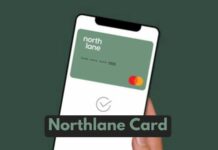
How to Activate North Lane Card Online in a Few Easy Steps
Late payments can create problems too. Merrick Bank’s public materials do not spell out every credit-score effect on the pages reviewed here, but late payment information is commonly reported by card issuers and can hurt your borrowing record. The safest move is to stay ahead of due dates by checking your account often and using automatic payments if that fits your budget.